
No. We deliver the LuckyHills iOS app through Safari using Add to Home Screen, not the Apple App Store. Open Safari, visit the website, tap Share, and select Add to Home Screen. The app icon then appears on your device just like a downloaded app.
 Welcome pack for 2 depositsGet 2 000 AUD + 100 Free Spins on slots and Live
 Loyalty ProgramEnjoy cashback, no-deposit rewards, and more
LuckyHills on iPhone and iPad: Install Guide
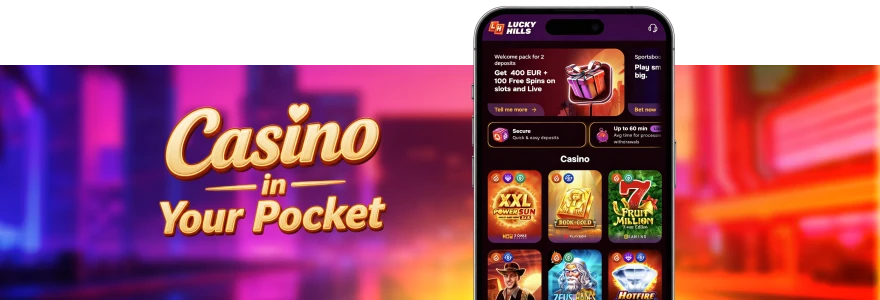
At LuckyHills, we run our iOS app on PWA (Progressive Web App) technology, so you install it straight from Safari without the App Store. No download queue, no separate marketplace approval — just add it to your Home Screen and log in. Our desktop and mobile setup covers iPhone, iPad, Windows and macOS, and this guide walks Aussie players through the iPhone and iPad steps.
Once installed, you get one-time authorisation and quick access to all games from your Home Screen. The install takes under a minute. We use the same account across the website and the app, so your balance, levels and bonuses stay exactly where you left them.
How to Install on iPhone
The LuckyHills iOS install on iPhone runs entirely through Safari, using the Share menu to add the app to your Home Screen. You do not need an Apple ID password, a download from the App Store, or any third-party file. The whole process happens inside the browser you already use.
What you get from the iPhone install:
- One-time login — you sign in once and stay signed in
- Direct Home Screen access to bonuses, promotions and slots
- Loading and response times measured in fractions of a second
If you would rather set up the LuckyHills casino app on a Samsung or Google Pixel, our Lucky Hills Android app page covers the Chrome install steps for those devices. The iPhone method below stays specific to Safari. That keeps the two paths clear and avoids mixing browser instructions.
Safari Installation Steps
Follow these four steps to complete the LuckyHills app download on your iPhone:
- Open the Safari browser.
- Go to our LuckyHills website.
- Press the Share icon, then choose Add to Home Screen.
- Once installed, the app appears on your device screen.
That is the full sequence — no extra confirmation screens beyond the standard Home Screen prompt. After the icon lands on your screen, tap it and log into your account. Your saved currency, whether AUD or another supported option, carries straight over from the website.
iPad Installation
At Lucky Hills, iPad uses the same Safari method as iPhone, because both run on iOS and share the Add to Home Screen feature. Open Safari, go to the LuckyHills website, tap the Share icon, then select Add to Home Screen. The app icon then sits on your iPad Home Screen, ready to open in full screen. The larger iPad display gives you more room for slots, table games and our LuckyHills mobile lobby.
Live Casino titles such as Live Roulette European and Gold Baccarat read more clearly on the bigger screen. If the Add to Home Screen option does not appear on your iPad, check that you are using Safari and not another browser. For deeper checks, our Lucky Hills troubleshooting page lists the common fixes for install issues. A quick browser swap usually solves it.
Why Safari Only on iOS
LuckyHills supports Safari for iOS installs because Apple ties the Add to Home Screen function to its native browser. Other browsers on iPhone and iPad run on Apple’s engine but do not expose the same install prompt. That is why the LuckyHills iOS app comes through Safari and not Chrome or Firefox on these devices.
This is an Apple system rule, not a LuckyHills restriction. On Windows and macOS the picture changes — there, the LuckyHills casino app installs through Chrome, and on macOS through Safari and Chrome both. The table below shows the correct browser for each device.
| Device | Operating System | Supported Browser |
| iPhone | iOS | Safari |
| iPad | iOS | Safari |
| Android phone/tablet | Android | Chrome |
| PC | Windows | Chrome |
| Mac | macOS | Safari, Chrome |
Knowing the right browser before you start saves you a failed attempt. Stick with Safari on any iPhone or iPad and the install runs first time.
First Login on iPhone
After install, you log in once and the app keeps you signed in — that is the one-time authorisation in action. Tap the LuckyHills icon on your Home Screen, enter your username and password, and you are in. No need to re-enter details every session. Your account works the same across the app and our LuckyHills mobile casino website, so a deposit made on desktop shows instantly in the iOS app.
We accept AUD deposits from 10 AUD, with options including Visa, Mastercard, Neosurf, MiFinity and crypto such as Bitcoin and Litecoin. Please note Australian players use debit cards only, not credit cards, under our payment policy. A quick note on first-time bonuses. New Aussie players claim a 100% first deposit bonus plus 100 free spins on a deposit from 30 AUD, with x40 wagering. Your second deposit adds a 200% bonus, also from 30 AUD. The maximum win from each deposit bonus is 3,000 AUD.
iOS-Specific Features
The Lucky Hills iOS app gives you a dedicated install bonus that you cannot claim any other way. Install the Lucky Hills app, log in, then activate 20 free spins in the Bonuses tab of your Profile. Beyond the install bonus, the app pulls in our full schedule of regular offers. The app also runs faster than the browser version on most iPhones, with response times in fractions of a second.
Before your first deposit, it is worth checking the device and software conditions on our LuckyHills app requirements page. That confirms your iPhone or iPad is ready. The table below sums up the headline app bonuses. Track your wagering progress any time through the dropdown icon next to your balance, or under Cashbox in the Active Bonuses section.
FAQ
Can I install the LuckyHills app from the App Store?
Why won’t the app install on Chrome on my iPhone?
Apple links the install prompt to Safari only, so Chrome on iOS does not show the Add to Home Screen option in the same way. Switch to Safari to complete the install. On Windows and macOS, by contrast, the app installs through Chrome.
Will my bonuses and account level stay the same in the app?
Yes. The iOS app uses the same account as the website, so your balance, VIP level and active bonuses carry across unchanged. A deposit or win on one shows instantly on the other. You log in once and stay authorised.
How much can I withdraw using the Lucky Hills iOS app?
The minimum withdrawal is 80 AUD and the daily limit is 2,500 AUD, which can rise with your activity and VIP status. The monthly payout cap is 40,000 AUD. Withdrawals process from 30 minutes up to 24 hours in most cases.
Thank you! Your review has been successfully published
Write review
First deposit bonus
100% bonus + 100 Free Spins

- Max bonus:1 000 AUD
- Min deposit:30 AUD
- Wager:x40
- Win limit:3 000 AUD
- 100 FS:20 FS daily for 5 days
User reviews